Endpoint Renew
Modified on: 2026-01-27 16:37
TABLE OF CONTENTS
Introduction
Below describes how a GO Supplier renews its endpoint via Console.
Operation Process
Authorization check
A minimum of one Point of Contact (POC) from the supplier's organization is already authorized to perform Endpoint renewal, as this is essential during the GO onboarding process.
If permission needs to be extended to additional users, please submit a request to the Technical Service group, which will facilitate the granting of the appropriate access.
Initiate Endpoint Renewal
Upon authorization, the AgencyUSB Endpoint input field within the Config Prod Environment section will become editable.
Introduction
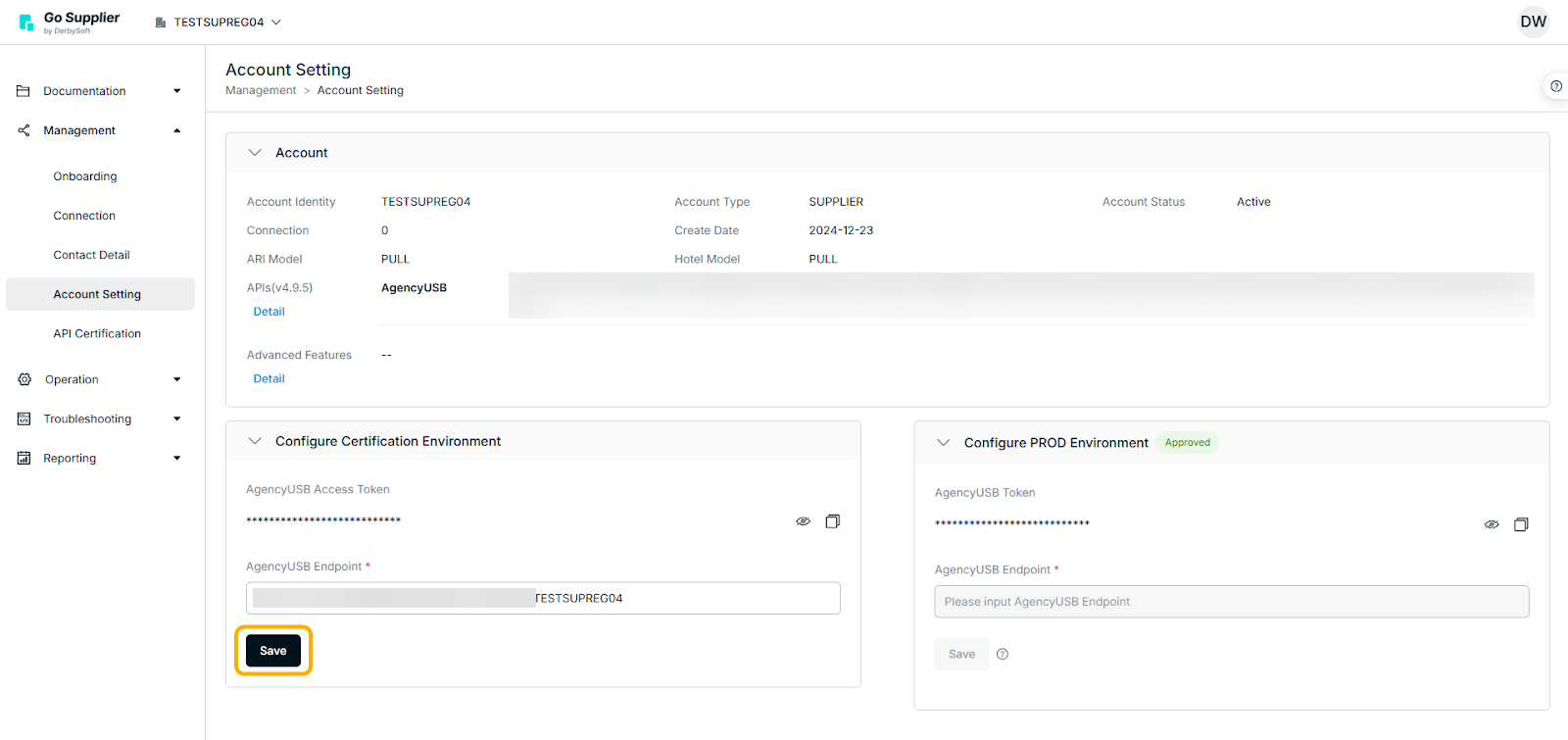
After updating the endpoint details, kindly click the Save button.
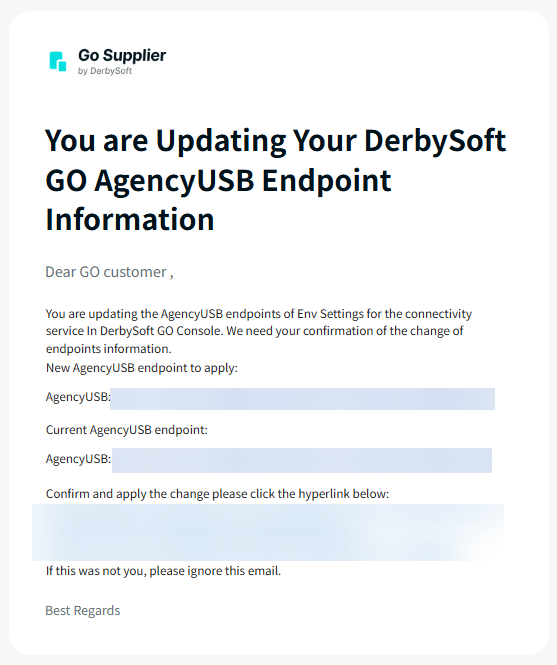
Subsequently, you will receive an email from DerbySoft GO detailing your request. Upon clicking the confirmation hyperlink located at the bottom of the email, your endpoint will be renewed.
Verify the new endpoint
Our Technical Support team will review your new endpoint submission to verify that it uses the HTTPS protocol and follows the correct format. If the endpoint meets both requirements, the TS team will approve the request. If any issues are identified, the request will be rejected, and our team will provide specific feedback in a pop-up message to help you make the necessary adjustments.
Did you find it helpful? Yes No
Send feedback